

The SEO Migration Checklist That Teams Follow Wrong
The single biggest cause of post-migration ranking loss isn't missing redirects — it's redirect chain depth and unfixed internal links on the live site after launch. Every team that ran a thorough seo migration checklist and still lost traffic made the same two mistakes: they confirmed that 301s were in place, then shipped, and never went back to update the internal links on the new site that still pointed to old URLs. A redirect chain through two hops is measurably weaker than a direct link. No popular checklist tells you to fix that after go-live.
We've run migrations for sites ranging from 800-URL Shopify stores to 40,000-page WordPress multisites, and the pattern is consistent. Teams optimize the staging environment, do a solid pre-launch audit, then treat the migration as done the moment the DNS flips. This guide is designed for the phase that comes after — plus a rescue protocol if you're already live and bleeding. For the full strategic foundation, see our SEO Website Design pillar before diving in here.
Why does redirect chain depth kill rankings after migration?
Each extra redirect hop dilutes PageRank — a 301 through two old URLs passes less equity than a direct link to the new URL.
A 301 redirect passes most — but not all — link equity. Google has confirmed this publicly via Google Search Central. One hop is acceptable. Two hops measurably dilute. Three or more and you're leaking meaningful equity on every internal and external link that hasn't been updated.
Here's the specific failure mode we see most often: a team migrates from `oldsite.com` to `newsite.com`, sets up 1:1 redirects correctly, and updates the sitemap. But every internal link on the new site that was copy-pasted from the old CMS still points to `oldsite.com/page/`. Now every internal link fires a redirect before reaching the canonical URL. If that page itself redirected from a previous URL structure, you have a chain of three hops — on every page that links to it.
Backlinko's 88-step checklist (co-developed with Spaced Digital and Edwin Romero) covers pre-launch internal link auditing on staging, which is the right instinct. The gap is that staging and live environments don't stay in sync. Links get updated in the CMS after go-live. New blog posts get written. The internal link audit needs to run again — on the live domain — 30 days post-launch, minimum.
Search Engine Journal data cited by Semrush puts average traffic recovery at 17 months after a migration. That's not a ranking dip — that's a business-scale event. The margin for 'we'll fix it post-launch' is much thinner than most roadmaps account for.
What does a real seo migration checklist prioritize after go-live?
Post-launch, prioritize redirect chain audits, live internal link updates, crawl budget checks, and AI search presence verification.
- Redirect chain audit (live) Run Screaming Frog or Sitebulb against the live domain — not staging — within 72 hours of launch. Flag any URL that returns a 301 as the final destination of another 301. Those chains need to be collapsed to single hops immediately.
- Internal link refresh on live site Export all internal links from the live crawl. Filter for any href that resolves through a redirect rather than hitting a 200 directly. Update the source links in the CMS. This step is almost universally skipped.
- Crawl budget check for large sites For sites above 10,000 URLs, verify in Google Search Central that Googlebot isn't burning crawl budget on redirect chains. Coverage errors in Search Console spike within the first two weeks if chains exist.
- AI search presence audit After a domain change, your brand may disappear from LLM citations in ChatGPT, Gemini, and Perplexity for weeks. Run a baseline brand mention sweep using a tool like Semrush's AI Visibility Toolkit before and after launch. Neither Semrush's checklist guide nor Backlinko's 88-step resource covers this — it's a real gap that our SEO Audit Service team now flags as a standard deliverable.
- Core Web Vitals delta check Migrations frequently degrade performance — new CMS, new theme, new JS bundles. Measure Core Web Vitals on the live domain within 48 hours via PageSpeed Insights and compare against your pre-migration baseline. A 30% speed regression is common when moving between CMS platforms and often goes unnoticed for weeks.
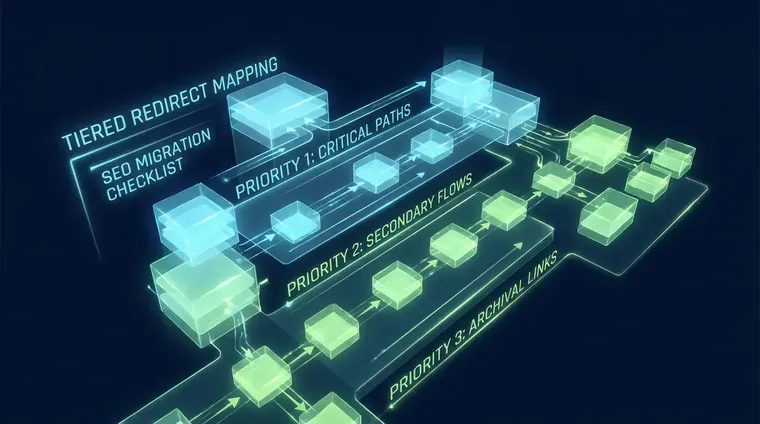
How should teams prioritize redirect mapping on large sites?
Prioritize 1:1 redirects for URLs with external backlinks or >500 monthly clicks; redirect low-traffic URLs to category pages; cut the rest.
The JimmyJazz/Snipes USA domain consolidation is a useful public reference for redirect logic at scale — but it doesn't give you the crawl-signal thresholds to make prioritization decisions on your own site. Here's the framework we use.
Tier 1 — 1:1 redirects: Any URL with external backlinks (pull from Ahrefs or Semrush) OR more than 500 monthly clicks in the last 90 days in Google Search Console. These get exact destination mapping, no exceptions.
Tier 2 — Category redirects: URLs with 50–499 monthly clicks and no meaningful external link equity. Map to the most relevant category or tag page. The equity loss is acceptable; the user experience is not catastrophic.
Tier 3 — Cut: URLs below 50 clicks with no external links. Let these return 404. Mapping low-signal URLs to the homepage dilutes the homepage's topical relevance and trains Googlebot to treat your redirects as lazy. That's a real penalty vector that compounds over months.
For CMS-specific gotchas: Shopify forces `/products/` and `/collections/` URL structures that can break redirect chains if your migration involves flattening a category hierarchy. WordPress multisite migrations are a separate beast — subdomain-to-subdirectory consolidations require root-level rewrite rules that many migration guides assume your dev team already knows. They often don't. Verify the `.htaccess` or `nginx.conf` changes explicitly in your seo migration checklist before go-live.
What's the rescue protocol if a migration already went live wrong?
Immediately crawl the live site, freeze all non-critical deploys, and triage by traffic delta — fix the highest-traffic broken URLs within 24 hours.
A decade of building programmatic-SEO content systems with AI agents anchors every claim Receipts Group makes about content velocity at quality — and that same depth of systems thinking applies to rescue migrations. We've been called in mid-bleed more often than I'd like to admit.
The first 24 hours matter more than any planned phase. Crawl the live domain immediately with Screaming Frog or Sitebulb. Export all 3xx and 4xx responses. Cross-reference against your pre-migration URL inventory — if you don't have one, pull it from the last Search Console crawl stats export and the Ahrefs site audit. Freeze all non-critical deploys while you triage.
Triage by traffic delta, not by URL count. Pull the top 200 URLs by pre-migration clicks from Search Console and verify each one returns a 200 or an immediate 301 to a 200 — no chains. Those 200 URLs likely represent 70–80% of your organic traffic. Fix those first. Everything else is secondary.
For AI search presence: run a manual brand + key topic query sweep in ChatGPT, Perplexity, and Gemini. If your old domain is still being cited and the new domain isn't, you have a citation lag problem. The Search Quality Rater Guidelines make clear that E-E-A-T signals are entity-based — a domain change effectively resets your entity disambiguation until enough signals accumulate on the new domain. Publish an explicit migration announcement page on both the old and new domains, link them bidirectionally, and update your Schema.org Organization markup to reflect the new canonical URL. See our related post on Technical SEO Audit Services That Actually Get Fixed for the full schema cleanup workflow.
For deeper reading on how design and SEO systems interact during a migration, our Website Design and SEO Services Built as One System post explains why treating them separately is the root cause of most migration problems in the first place.
The migration isn't done at launch — the real seo migration checklist work starts 30 days after go-live.
The seo migration checklist ends at launch on every popular template we've reviewed. That's the wrong cut-off. The migration isn't done until you've re-crawled the live site, collapsed all redirect chains, updated live internal links, and confirmed AI search presence on the new domain. Launch day is the midpoint, not the finish line.
Frequently Asked Questions
How long does traffic recovery take after a migration?
Search Engine Journal data puts average recovery at 17 months after a poorly executed migration. Sites that run a thorough seo migration checklist — including post-launch redirect chain and internal link audits — typically recover in 3–6 months instead.
What internal link fixes are needed after a site migration?
After go-live, crawl the live domain and filter for any internal href that resolves through a redirect rather than hitting a 200 directly. Update those source links in the CMS. This is the most skipped step in any seo migration checklist and a primary cause of sustained ranking loss.
Does a domain change affect AI search citations like ChatGPT?
Yes. After a domain migration, LLMs may continue citing your old domain for weeks or months. Run a manual brand sweep in ChatGPT, Perplexity, and Gemini, update your Schema.org Organization markup to the new canonical URL, and publish a migration announcement page on both domains to accelerate entity re-disambiguation.
Related reading
Get a migration audit before — or after — you ship
Whether you're planning a migration or already live and watching rankings drop, our team runs the full seo migration checklist — including live redirect chain audits, internal link refreshes, and AI search presence checks. Start with our SEO Website Design system or book a focused SEO Audit to get a prioritized fix list within 5 business days.